About this template
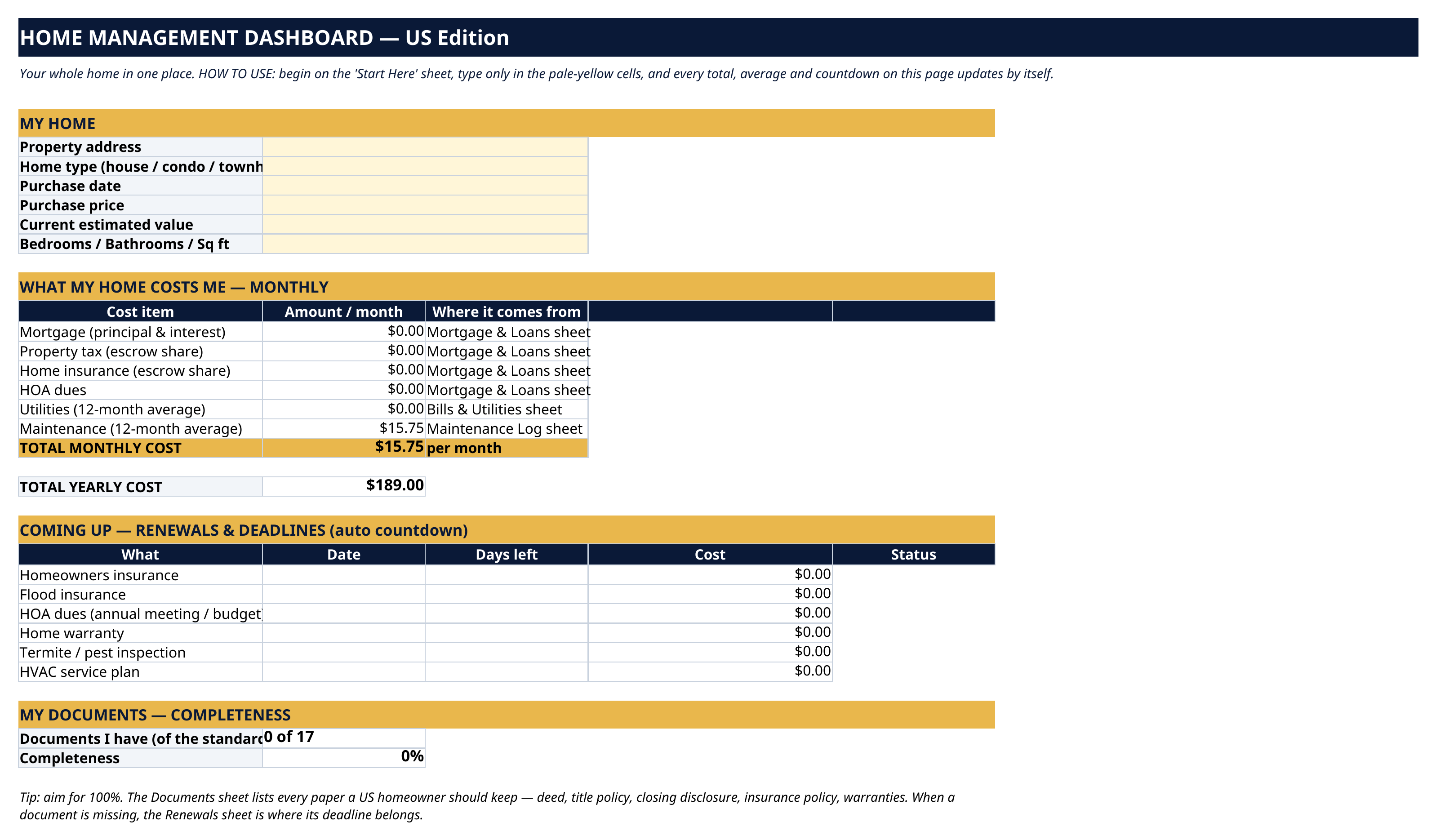
What does your home actually cost you each month — mortgage, escrow, utilities, upkeep, all of it? Which documents do you have, and which are missing? When does the insurance renew? The Home Management Dashboard answers all three on one page. You type the raw numbers once, in pale-yellow cells. Every total, average, countdown and score updates by itself.
What's inside
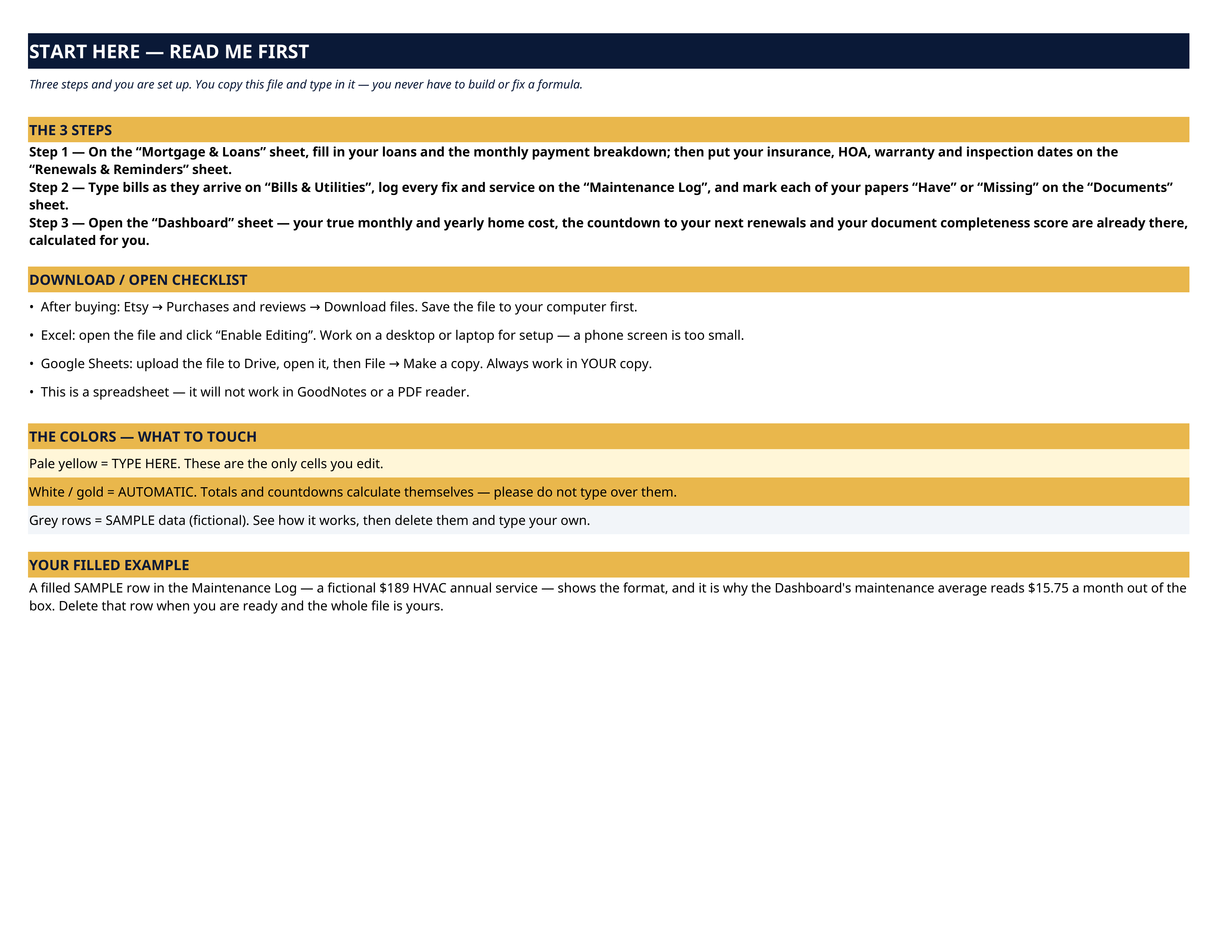
- Start Here — the 3 steps, a download/open checklist for Etsy, Excel and Google Sheets, the color guide (pale yellow = type here; white/gold = automatic; grey = sample data), and a walk-through of the filled example.
- Dashboard — your home's profile, your true monthly cost (mortgage principal & interest, property-tax escrow, insurance escrow, HOA dues, 12-month averages of utilities and maintenance), the yearly total, a countdown to your next renewals, and your document completeness score.
- Mortgage & Loans — one row per loan — lender, loan number, original amount, rate, term, monthly payment, balance — plus the monthly payment breakdown that feeds the Dashboard.
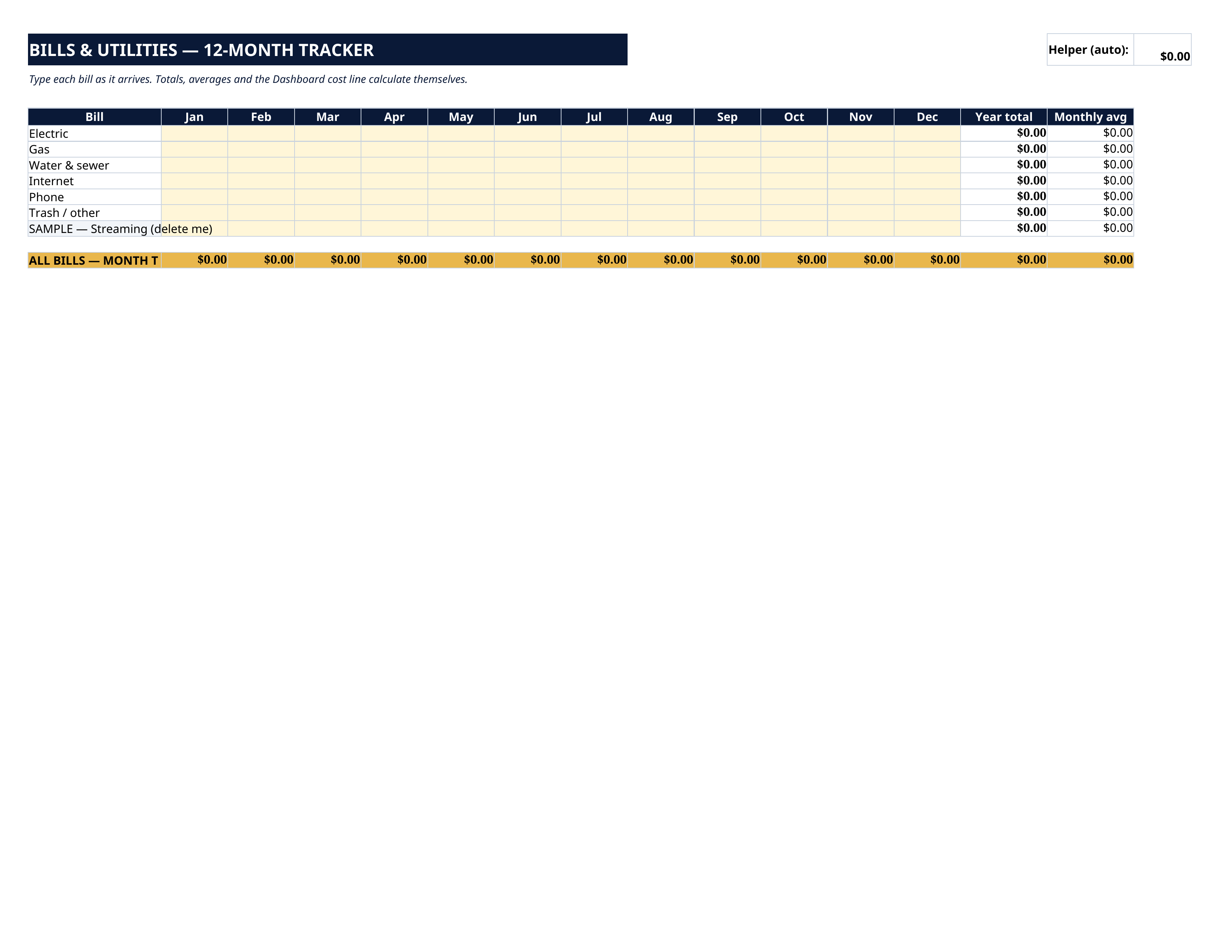
- Bills & Utilities — a 12-month grid for electric, gas, water & sewer, internet, phone and trash. Type each bill as it arrives; monthly totals and averages calculate themselves.
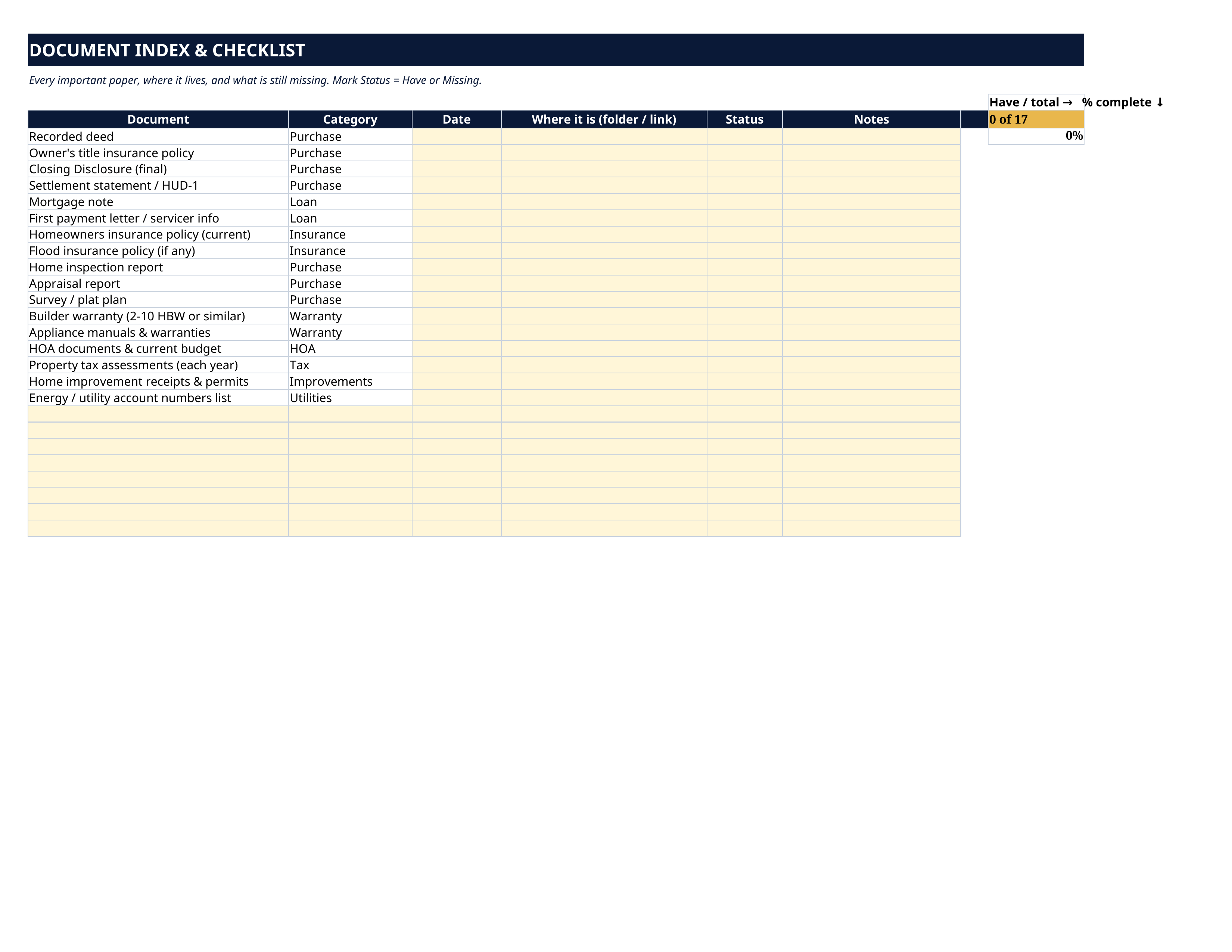
- Documents — an index & checklist of the 17 papers a US homeowner should keep — deed, title policy, Closing Disclosure, mortgage note, insurance policies, inspection and appraisal reports, warranties, HOA documents, tax assessments — each with its date, location and a Have/Missing status, scored toward 100%.
- Maintenance Log — every fix, service and upgrade: date, job, contractor, phone, cost, warranty end, next due date. A filled fictional SAMPLE row shows the format.
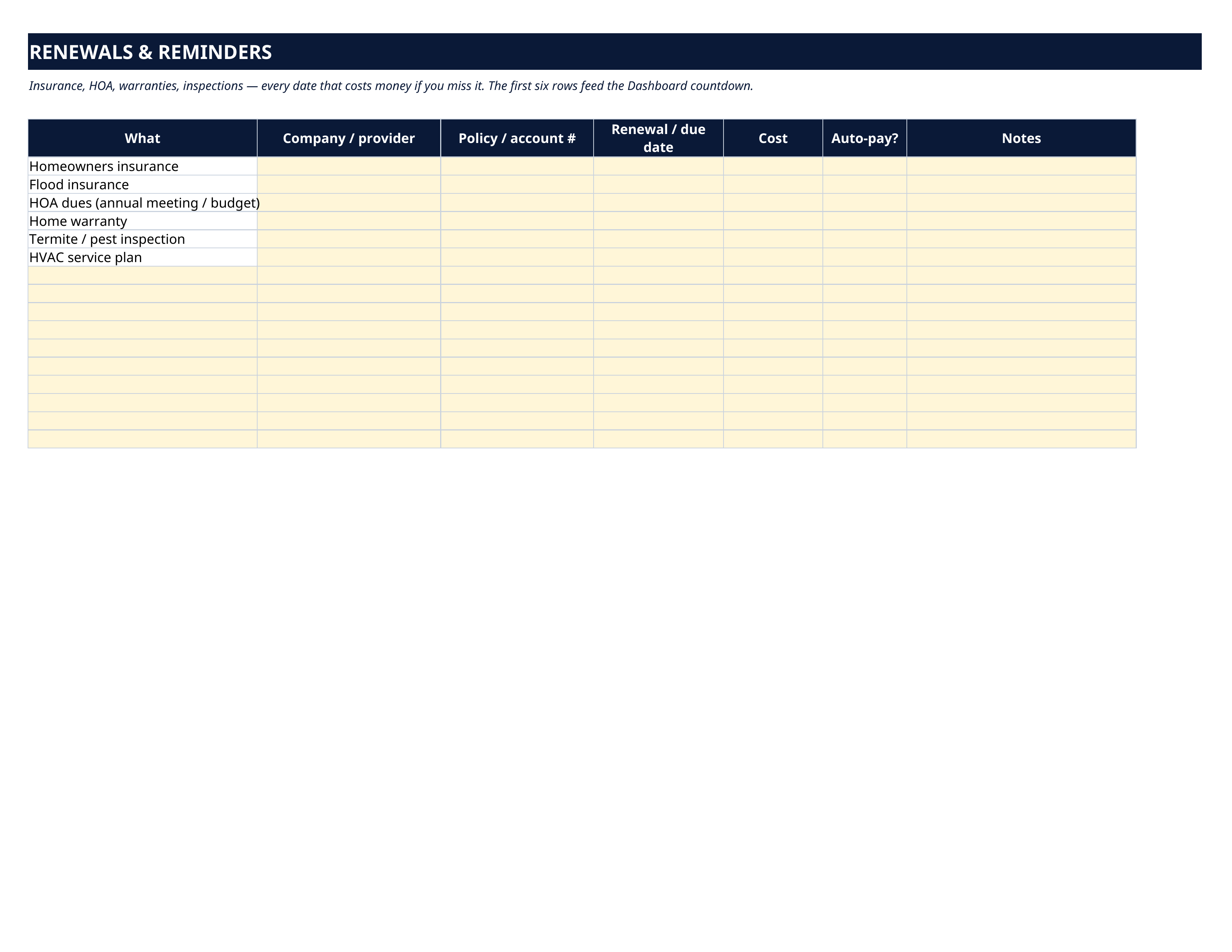
- Renewals & Reminders — insurance, HOA, home warranty, termite/pest inspection and HVAC plan renewals, pre-listed with room for more. The first six rows feed the Dashboard countdown.
How it works — 3 steps
- On the Mortgage & Loans sheet, fill in your payment breakdown, and add your renewal dates on the Renewals sheet.
- Type bills as they arrive, log maintenance as it's done, and mark your documents Have or Missing.
- Open the Dashboard. Your monthly and yearly cost, your next deadlines and your document score are already there.
You never build or fix a formula. Type only in the pale-yellow cells — the formula cells are protected (no password) so the math can't be broken by accident. Fictional SAMPLE rows, clearly marked, show you the format; delete them and the file is yours.
What you need
Microsoft Excel, or Google Sheets (free with a Google account). One file works in both. A desktop or laptop is best for setup. This is a spreadsheet — it will not work in GoodNotes, Notability or a PDF reader.
Instant download
This is a digital download — no physical item will be shipped. After purchase, go to Etsy → Purchases and reviews → Download files, save the file to your computer first, then open it in Excel (click “Enable Editing”) or upload it to Google Drive for Sheets (then File → Make a copy, and always work in your copy).
License
Personal use only — for your own household. Please do not share, resell or redistribute the file.
Questions
Does it work in Google Sheets as well as Excel?
Yes — the same .xlsx file works in both. Upload it to Google Drive, open it, then choose File → Make a copy and work in your copy.
I'm not good with spreadsheets. Is this for me?
Yes. You only ever type in the pale-yellow cells; everything else calculates itself. Instructions are printed at the top of every sheet, and the formula cells are protected so you can't break them by accident.
Can I add my own rows — extra bills, extra renewals, extra documents?
Yes. The Bills, Documents, Maintenance and Renewals sheets all have blank rows ready, and you can insert more.
Is this a subscription or an app?
Neither. It's one spreadsheet file for a one-time payment. No subscription, no sign-up, nothing to install.
Can I get a printed copy?
The sheets are set to print on US Letter paper in landscape if you'd like a paper copy for a home binder.