About this template
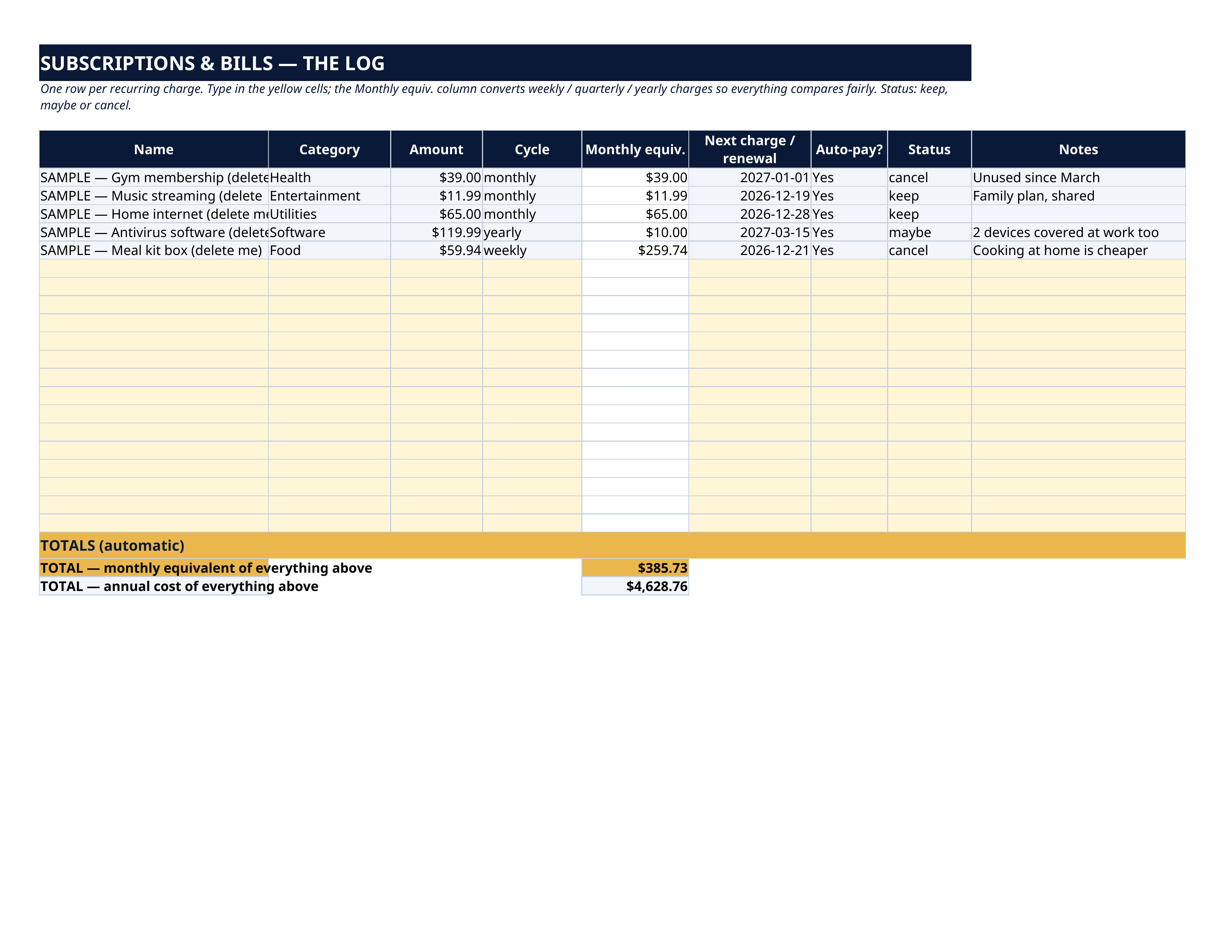
A $59.94-a-week meal kit is $259.74 a month. A $119.99-a-year antivirus is $10 a month. Small charges hide in weekly and yearly cycles — this spreadsheet converts every recurring charge to one honest monthly number, totals them against your take-home pay, and shows you exactly what you'd save by cancelling the ones you don't use.
What's inside
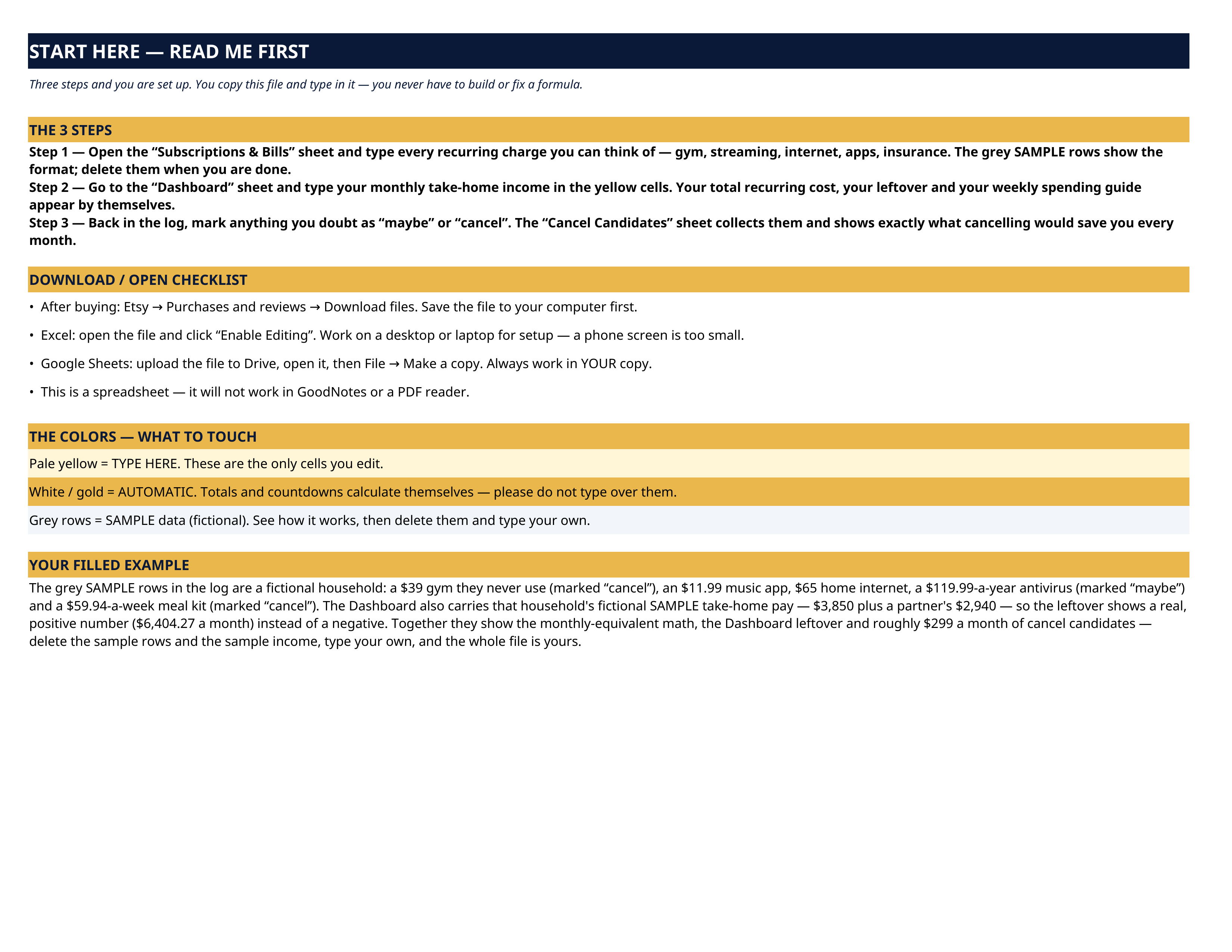
- Start Here — the 3 steps, a download/open checklist for Etsy, Excel and Google Sheets, the color guide, and a walk-through of the filled example.
- Subscriptions & Bills — the log — one row per recurring charge: name, category, amount, cycle (weekly, monthly, quarterly, yearly), the monthly equivalent calculated for you, next charge/renewal date, auto-pay, and a status you set — keep, maybe or cancel. Totals show your true monthly and annual recurring cost.
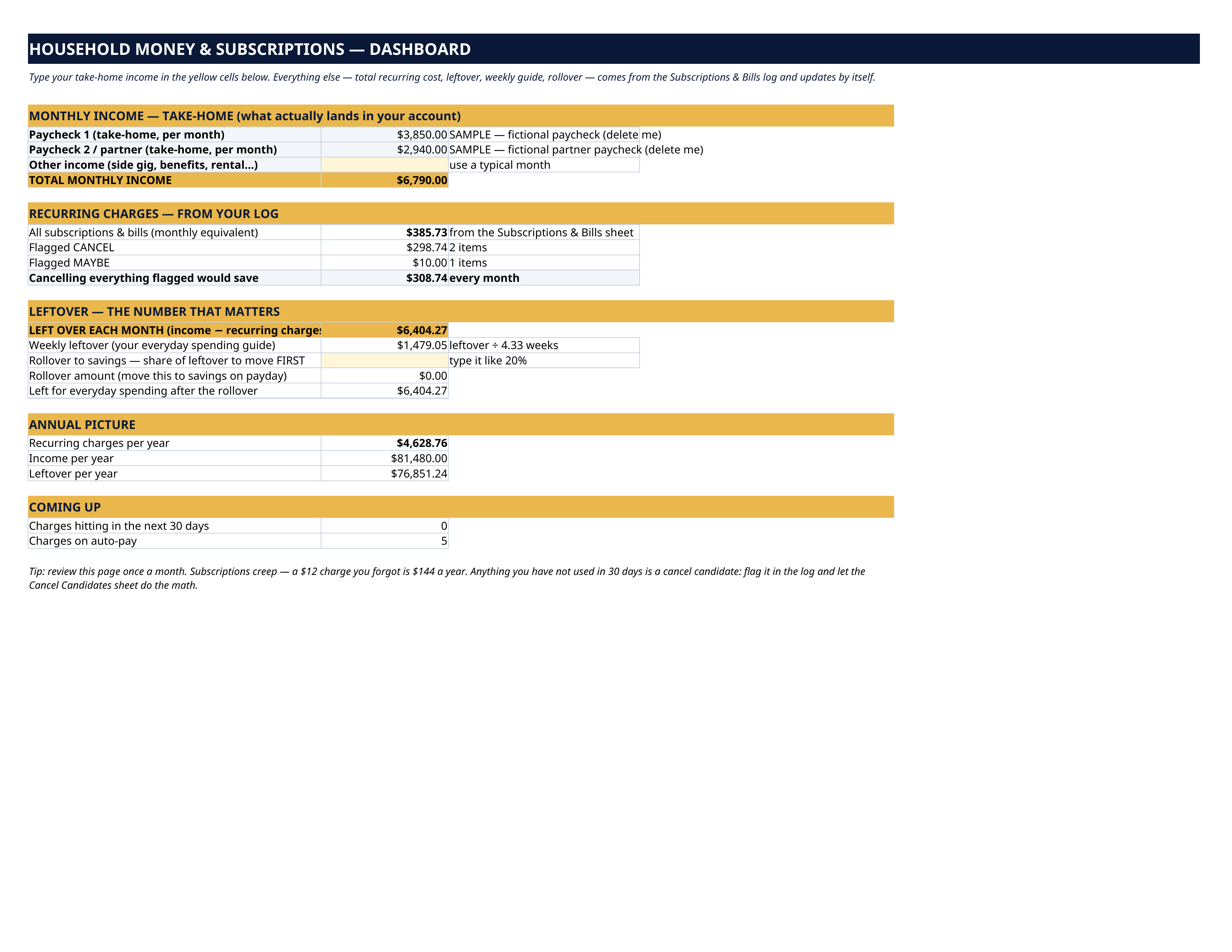
- Dashboard — type your take-home income once. The sheet shows what cancelling everything flagged “cancel” would save, what the “maybe” pile is worth, your leftover each month, a weekly leftover to guide everyday spending, a rollover-to-savings amount, the annual picture, and how many charges are coming up in the next 30 days.
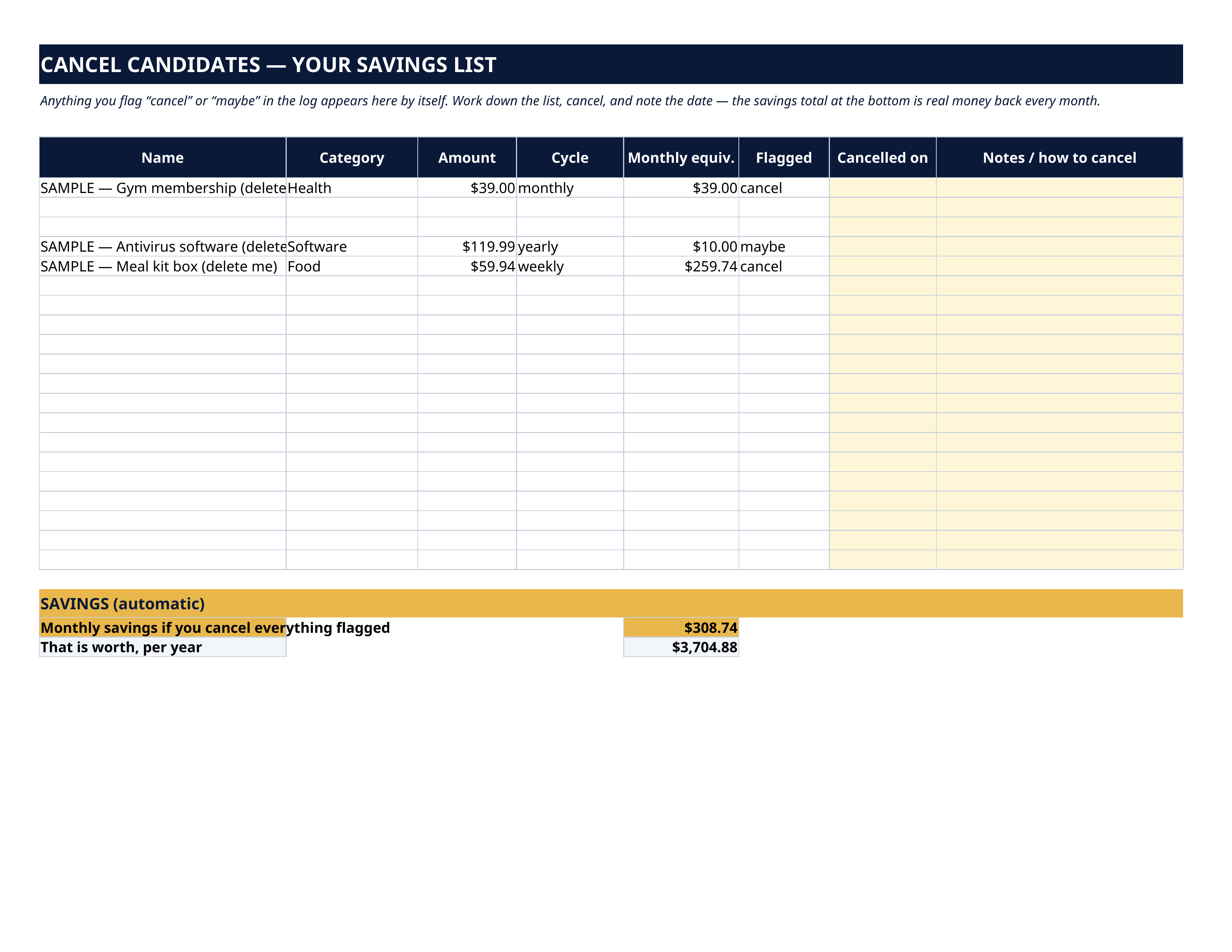
- Cancel Candidates — anything you flag “cancel” or “maybe” in the log appears here by itself, with space to note when you cancelled it and how — and the monthly savings total at the bottom.
How it works — 3 steps
- On the Subscriptions & Bills sheet, type every recurring charge you can think of — gym, streaming, internet, apps, insurance. The grey SAMPLE rows show the format.
- On the Dashboard, type your monthly take-home income in the yellow cells. Your total recurring cost, leftover and weekly spending guide appear by themselves.
- Back in the log, mark anything you doubt as “maybe” or “cancel”. The Cancel Candidates sheet collects them and shows exactly what cancelling would save you every month.
You never build or fix a formula. Type only in the pale-yellow cells — the formula cells are protected (no password) so the math can't be broken by accident. Fictional SAMPLE rows, clearly marked, show you the format; delete them and the file is yours.
What you need
Microsoft Excel, or Google Sheets (free with a Google account). One file works in both. A desktop or laptop is best for setup. This is a spreadsheet — it will not work in GoodNotes, Notability or a PDF reader.
Instant download
This is a digital download — no physical item will be shipped. After purchase, go to Etsy → Purchases and reviews → Download files, save the file to your computer first, then open it in Excel (click “Enable Editing”) or upload it to Google Drive for Sheets (then File → Make a copy, and always work in your copy).
License
Personal use only — for your own household. Please do not share, resell or redistribute the file.
Questions
Does it work in Google Sheets as well as Excel?
Yes — the same .xlsx file works in both. Upload it to Google Drive, open it, then choose File → Make a copy and work in your copy.
The Dashboard already has income filled in — is that real data?
No — the two income lines are fictional SAMPLE amounts ($3,850 and a partner's $2,940 take-home), marked “SAMPLE — delete me”, shipped so you can watch the leftover math work (+$6,404.27) before you touch anything. Delete them and type your own pay.
How does it compare a weekly charge with a yearly one?
The log's “Monthly equiv.” column converts for you: weekly × 52 ÷ 12, quarterly ÷ 3, yearly ÷ 12. That's how a $59.94 weekly meal kit honestly shows as $259.74 a month.
Does it connect to my bank or find my subscriptions automatically?
No — and that's deliberate. Nothing to connect, no account access, no ongoing fees. You type each recurring charge once, update the list when things change, and the sheet does all the math.
Is this a subscription or an app?
Neither. One spreadsheet file, one-time payment, yours to keep — ironic for a subscription tracker, we know.